Vault Still Matters in Android’s Privacy Era

Vault - Hide Pics, App Lock
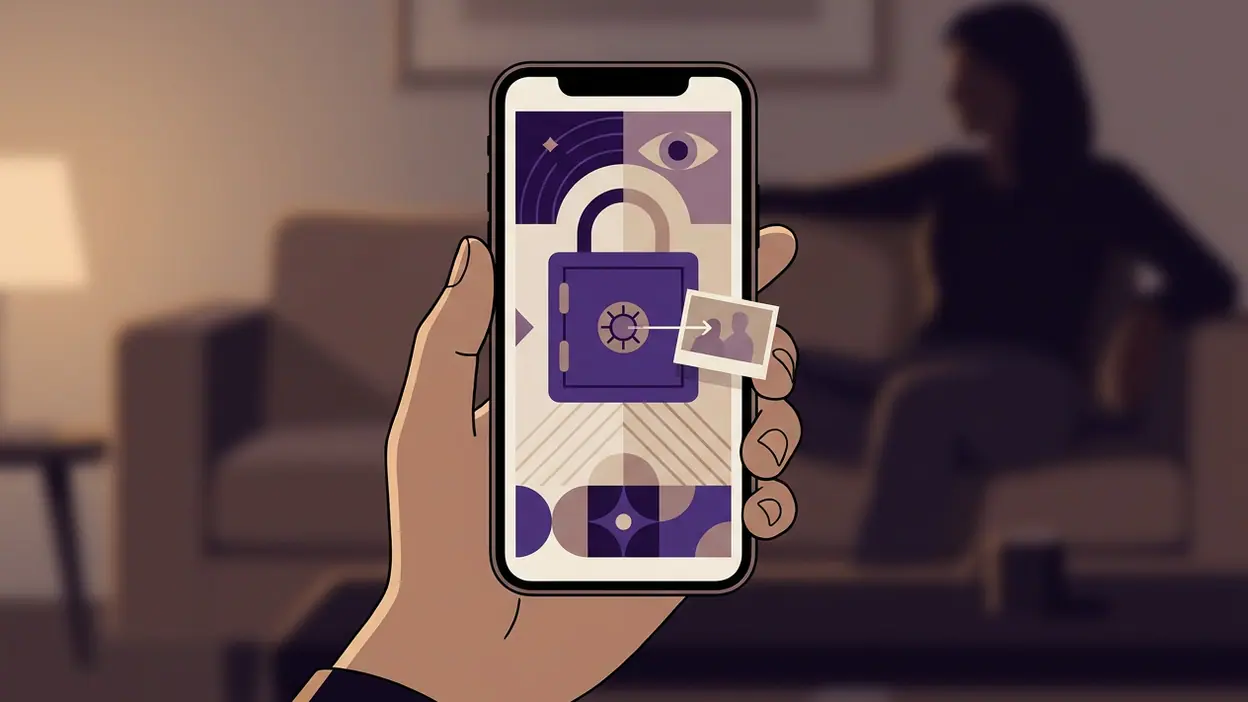
Android has spent years making privacy less of a hidden setting and more of a visible part of everyday use: permission prompts explain access, photo pickers can share only selected images, and newer versions make background activity easier to spot. That changes the job of a private-album app. Vault - Hide Pics, App Lock still has a clear purpose, but it now has to justify itself as more than a secret folder. Its real value is the extra barrier and the deliberate separation it creates for people who regularly hand over their phones, share a household device, or simply do not want every personal image sitting in the main gallery.
That distinction matters. Android’s built-in tools reduce unnecessary access, but they do not automatically make a phone feel private when someone is scrolling through its photos or tapping around installed apps. Vault is aimed at that social, everyday gap. It is less about defending against a determined attacker than keeping a curious friend, a child, or a colleague from casually opening something they should not. The app is useful in precisely that modest role, provided users understand both its limits and the care required to protect anything they move into it.

Vault - Hide Pics, App Lock
Wafer Co. · 4.3 · Free · Android, iOS


What a vault gains as Android changes
Modern Android has improved the baseline. A system photo picker lets an app receive access to chosen images rather than an entire library, and permission controls make it easier to review which apps can reach sensitive data. Device-level authentication, private profiles on some phones, and manufacturer gallery locks can add further layers. These features make the old assumption that every app needs broad access to a photo collection harder to defend.
That is good news for Vault, not a reason it becomes obsolete. A permission boundary controls what an app can see; a private album controls what someone casually browsing the device can see. Those are different problems. Vault’s appeal is the chance to move selected pictures and videos into a place protected by an app-level lock, rather than relying only on a shared gallery’s organization or the hope that nobody opens it.
The gain is practical rather than dramatic: a user can keep a collection apart from camera photos and ordinary screenshots, then require an additional step before it is viewed. For someone who shares a phone for music, maps, or family pictures, that small pause can make a real difference. It also gives a clearer mental boundary: these files are not part of the casual camera roll.
What users notice first
The first impression is the directness of the pitch. Vault is built around hiding photos and videos and locking apps, not around editing, discovery, or social sharing. That focus is welcome. A privacy utility should not make users hunt through a crowded feed to reach the one job they installed it for.
The trade-off is that the label “vault” can sound stronger than the protection any single app can guarantee. A lock screen is a useful barrier against casual access; it is not a substitute for a securely managed device, a strong system passcode, or a sensible backup plan. The exact protection available can also depend on the Android version and device maker. Buyers should check the current app listing and the settings on their own phone rather than assume every feature works identically everywhere.
Moving files is the other moment to pay attention. A private album helps only if the originals are no longer visible in the ordinary gallery, and users need to understand whether a move, import, or copy has taken place. I would test the process with a harmless image first, check both Vault and the default gallery, and only then move anything important. Privacy features deserve a little verification, not blind trust.
How the daily habit changes
A dedicated vault adds a small routine: decide what belongs in the private collection, move it, and remember where to find it later. That routine can be reassuring for people who keep personal documents, intimate pictures, or surprise-planning material on a device they often lend out. It can also become friction if the user expects every photo to be hidden automatically or frequently needs to switch between the vault and the main gallery.
This is where Vault’s usefulness depends on habits more than features. Someone who only wants to hide one occasional image may be better served by the device’s own locked-folder option, if available. Someone managing a continuing private collection may appreciate having a separate destination and an app lock in one place. The more regularly the phone changes hands, the more valuable that separation feels.
App locking extends the idea beyond media. It can help keep messaging, banking, or social apps from opening during casual use of a shared device. Still, a locked app does not make its notifications private, nor does it necessarily hide previews, recent-app cards, or account activity elsewhere. Android settings remain part of the job: notification content, lock-screen visibility, and device credentials need their own review.
The ecosystem now helps and complicates the job
Android’s privacy direction gives users more control, but it also creates a layered experience. System permissions, a manufacturer’s secure folder, Google Photos controls, and Vault may all overlap. This can be useful when each layer has a distinct purpose, yet confusing when users do not know where a file lives or which copy is protected. A carefully chosen system feature may be simpler than installing another app; Vault makes more sense when its focused workflow is the part the built-in tools do not provide comfortably.
Compatibility friction is real. Android is not one uniform environment: manufacturers alter gallery apps, security settings, background restrictions, and biometric behavior. A feature that feels straightforward on one handset may be presented differently on another, and an operating-system update can change permission prompts or affect how an app handles media. Before relying on Vault for irreplaceable files, check its current compatibility notes, test the lock and recovery flow, and keep an independent, secure backup where appropriate.
There is also a basic trust question. A privacy app is being asked to handle material users consider sensitive, so its permissions and data practices deserve more scrutiny than those of a casual utility. Read the current privacy disclosures, grant only the access the app needs, and avoid treating a product name or lock screen as proof of encryption or absolute security. Those are specific technical claims that should be confirmed, not inferred.
What neighboring apps reveal
Apps such as Picsart AI Photo Editor, Video are built to transform and share images; Google News is designed to bring information forward; even a specialist utility such as Easy Hairstyles for Girls has a clear, outward-facing task. Vault moves in the opposite direction. Its success is measured by what stays out of view, which makes clarity and restraint more valuable than a busy interface or a stream of new content.
That contrast also reflects a broader shift in mobile design. Apps increasingly need to fit inside operating-system controls rather than behave as though they own the whole device. Photo access is becoming more selective, authentication more standardized, and privacy more legible to users. Vault’s strongest role is therefore not replacing Android security but giving people a focused, repeatable way to manage a private corner of their personal media.
For people who share a device, the move toward system-level privacy can make the whole phone safer, while Vault adds a more specific boundary around chosen content. For people who never lend out their phone and already use a robust built-in private folder, the extra app may add little beyond another password and another place to maintain. The right comparison is not “secure or insecure”; it is whether this additional layer matches a real routine.
Who should use it, and what to watch
Vault is best suited to Android users who want a simple home for selected photos and videos, regularly let others handle their phone, or value an app-level checkpoint for certain apps. It is less compelling for anyone expecting invisible, automatic protection across the whole device, or for users whose phone already offers a private-space feature that fits their needs. In either case, a strong device lock and careful notification settings remain the foundation.
What I would watch next is how Vault responds to Android’s changing media permissions and security expectations. A good update should make imports and exports easier to understand, explain what happens to original files, and provide clear recovery guidance without burying users in technical language. It should also keep pace with system authentication and make its privacy practices easy to inspect. Those details matter more than adding decorative features to an app whose central promise is discretion.
Vault still earns a place for a particular kind of user: someone who wants a separate, locked space for personal media and understands that an app lock is one layer, not a force field. Android’s newer privacy tools raise the baseline and make that distinction sharper. Vault is most convincing as a practical boundary for casual access, not as a guarantee against every threat. Used with realistic expectations and checked against the phone’s own privacy settings, it can make a shared-device habit feel more controlled; without that context, its strongest promise risks being mistaken for stronger security than it can claim.