Cut and Paste Photos Makes Photo Editing Playful, but Its Appeal Has Limits

Cut and Paste Photos
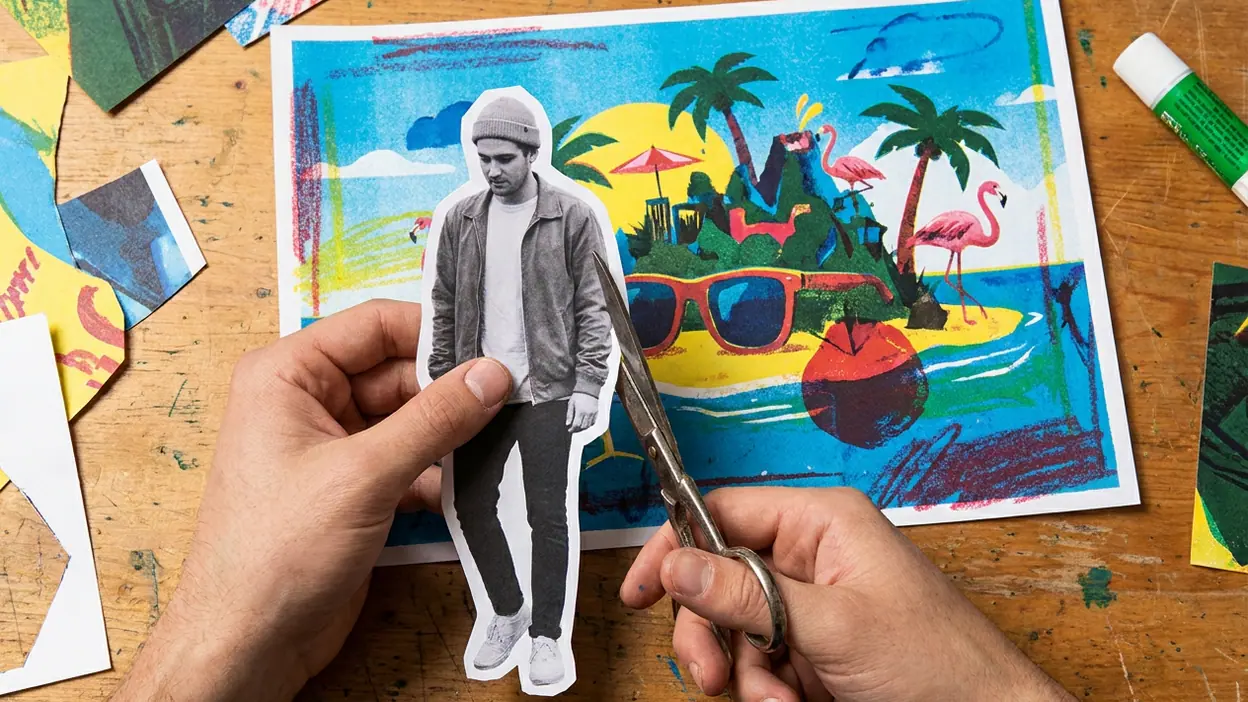
Most photo apps ask you to improve a picture. Cut and Paste Photos asks a more entertaining question: what if the person in this picture belonged somewhere else? That shift from correction to playful substitution is the app’s central advantage. It turns a familiar camera roll into a source of quick visual jokes, fantasy scenes, and shareable surprises, and it does so with a task simple enough to repeat whenever a new idea appears.
That is a modest ambition, but a commercially useful one. People do not need to become editors or learn a complicated workflow before they can make something. They need a subject, a background, and a few minutes. The app’s appeal rests on making that small creative leap feel accessible. Its weakness is the other side of the same bargain: once the novelty of a clean cutout fades, the quality of the result depends heavily on the source photo, the available tools, and the patience of the person doing the editing.

Cut and Paste Photos
ZipoApps · 4.6 · Free · Android


Why a small idea travels
Cut-and-paste editing has a durable social appeal because the joke is instantly legible. A friend appears on a beach, a pet occupies a famous-looking landmark, or a family portrait gets dropped into an implausible setting. The viewer does not need to understand photography to understand the gag. That makes the output useful beyond the app itself: it can be sent in a group chat, posted as a reaction, or kept as a private bit of silliness.
The app’s scale is best understood through this low barrier to participation, not through a claim that it has replaced full-featured photo editors. A tool like VSCO is built around a considered look and a finishing pass; Cut and Paste Photos is about changing the premise of an image. PicCollage, by contrast, is more naturally associated with layouts and assembled compositions. Here, the basic unit is the cutout: isolate one thing, put it somewhere new, and see whether the mismatch makes you laugh.
That focused job is an advantage in a crowded category. It gives the app a recognizable reason to exist and a result users can imagine before they open it. The strongest mobile utilities often win this way: not by doing everything, but by making one familiar action feel approachable enough to become a casual habit.
The app’s real product is the moment of recognition: the instant a subject seems to belong in a scene it was never photographed in. A polished filter may make a picture look better, but a convincing or deliberately ridiculous composite changes what the picture means.
What it does better than a general editor
A general editor has to divide attention among exposure, color, cropping, retouching, and export. Cut and Paste Photos can keep its promise narrower. The user arrives with an object to move, rather than an open-ended desire to make a photo “better.” That helps the task feel concrete, especially for someone who finds a full editing interface intimidating or simply has no interest in learning one.
The contrast with PhotoBoost - AI Photo Enhancer is instructive. An enhancer’s value is framed around improving a source image; this app’s value begins when the source is treated as raw material. PixVerse: AI Video Generator pushes the idea further into motion and generation, but that also changes the effort and expectation involved. Cut and Paste Photos stays in the quick, still-image zone. Its creative payoff can be immediate, and the result does not require a video concept or a more elaborate production process.
That simplicity also gives the app a broader range of moods. The same action can make a family keepsake, a silly birthday image, or a deliberately rough meme. A user can take the result seriously or lean into the visible seams. The edit does not have to pass as a professional composite to work; sometimes the obvious cut edge is part of the joke.
Still, the distinction between approachable and effortless matters. Cutting a subject out cleanly is hard, particularly around hair, fur, transparent objects, or busy backgrounds. If the app makes selection quick, it has delivered a meaningful convenience. If a user must keep correcting edges by hand, the simplicity of the concept will not rescue the workflow. The moment of fun depends on getting past that practical bottleneck.
The habit loop: idea, cutout, payoff
The repeat-open pattern is easy to see. A user spots a possible subject in the camera roll, opens the app, removes it from its original context, tests a new setting, and shares or saves the result. The payoff arrives at the end, but anticipation begins earlier: “Could this person fit there?” That question invites experimentation without demanding a long session.
It is a compact creative loop, and compactness matters on a phone. A complicated project can be postponed; a funny edit can be finished between other tasks. The app also benefits from an endless supply of source material. Every new portrait, pet photo, trip picture, or family gathering can suggest another cutout. Unlike a tool whose value depends on following a trend or mastering a preset, this one can piggyback on ordinary camera-roll habits.
What users forgive follows directly from that casual rhythm. They may accept a little awkwardness at the edges if the image is funny. They may tolerate a basic-looking result if the idea lands. They may even prefer an imperfect composite because it feels handmade rather than manufactured. But patience has limits: repeated friction in selecting, placing, sizing, or saving an image can turn a quick diversion into a chore. A sticky app still has to respect the user’s time.
That is why the experience cannot be judged by the cutout tool alone. The transition from selecting a subject to building the final scene needs to feel understandable. Users should be able to see what they are changing and recover from a poor placement without starting over. Each small delay weakens the sense that this is an easy thing to do again tomorrow.
Where the cracks show
The basic concept can outrun the craft. A convincing composite needs more than a removed background: scale, perspective, lighting, and edge detail all affect whether the subject belongs. A person cut from a bright outdoor portrait may look pasted onto a dark interior; a large subject can appear to float if its size or shadow is wrong. Casual users often accept those flaws, but they also notice when the edit looks accidental rather than intentionally playful.
There is a ceiling to repetition, too. A first successful cutout can feel like a discovery; the tenth can feel like the same trick with a different background. The app’s long-term appeal depends on how well it supports fresh variations, not just on how quickly it performs the first one. Creative freedom matters, but so does a supply of scenes and tools that help a user move from “I can do this” to “I want to try another version.”
Compared with broader competitors, Cut and Paste Photos has less room to disguise limitations behind a wide feature set. VSCO can keep an editor occupied with the look and finish of an image, while PicCollage can shift attention to page composition. A focused cutout app has to make its main action feel good. When the selection is rough or the final arrangement feels cramped, there may be no other part of the experience strong enough to compensate.
There is also a difference between a shareable result and a lasting creative practice. The app can make an easy reaction image, but that does not automatically make it a place users visit when they want to do serious photo work. Its strongest role is a playful utility, not an all-purpose studio. That is not a failure; it is simply a boundary worth naming.
Who gets the most out of it
Cut and Paste Photos makes the most sense for people who enjoy visual jokes and want a direct route from idea to image. It suits casual creators, families making playful keepsakes, and anyone who likes sending a picture that gives friends an immediate reason to respond. It can also serve a user who wants to experiment with composition without first learning the broader vocabulary of image editing.
Someone seeking precise retouching, a consistent photographic style, or a complete design workspace should look elsewhere. The app’s central pleasure is not immaculate control; it is the quick transformation. That distinction helps set expectations and makes the product’s strengths easier to appreciate. It is at its best when users treat it as a small creative instrument rather than a replacement for every other photo tool.
For the same reason, rivals do not automatically erase its appeal. A fuller editor may offer more power but ask for more attention. A collage maker may provide more layout options but frame the task differently. An AI video app may generate motion, but motion is not what every casual idea needs. The competition remains behind whenever the user wants this exact combination: a familiar picture, one obvious subject, and a new context that changes the punchline.
Does the advantage last?
The central idea is unlikely to expire. People will keep wanting to place themselves, friends, and pets somewhere unexpected, because the appeal comes from social imagination rather than a passing visual trend. What can expire is the feeling that the app makes the process unusually easy. If selection, placement, and saving stay smooth, the habit can survive. If those basics feel dated or cumbersome, users can imitate the same joke in a broader editor or choose a newer tool with faster assistance.
Its durability therefore depends less on adding a long list of features than on protecting the short path to a satisfying result. Better edge handling, clear controls, and enough freedom to make an image feel personal would matter more than a crowded menu. The app has a strong premise already; its challenge is to keep that premise enjoyable after the novelty wears off.
My judgment is that Cut and Paste Photos earns its place by making one kind of photo editing feel playful, legible, and easy to start. It wins attention with the promise of a joke and repeat opens with the chance to try one more scene. Users forgive roughness when the idea is good, but they should not have to forgive a process that gets in the way. As a focused creative diversion, it has a convincing reason to exist; as a lasting editing destination, it still has to prove that the cutout is only the beginning.