ORG 24 Turns Your Phone Into a Pocket Music Studio

ORG 24: Your Music
Mobile music apps are having a useful moment: more people want to make a sound, not just choose one. ORG 24: Your Music meets that appetite with a familiar proposition—a keyboard, a collection of tones and rhythms, and a phone that can become an instrument in the space between errands. Its momentum makes sense less as a challenge to streaming services than as evidence that casual music-making is finding room on the same screens that already deliver songs.
That distinction matters. YouTube Music and Samsung Music are built around listening libraries; Shazam identifies music already playing. ORG 24 belongs to a more hands-on corner of the category, where the user supplies the performance. The app’s promise is immediate: open it, touch the keys, and hear a response. That low barrier is its strongest business story as well as its clearest user benefit.

ORG 24: Your Music
Sofeh Sunrise · 4.4 · Free · Android, iOS


A keyboard built for the phone-first musician
The timing is favorable because the phone has become a credible first stop for creative experiments. People sketch photos, edit clips, and record voice notes on devices they carry everywhere. A virtual keyboard fits that pattern: it does not require a separate instrument, a quiet room, or a commitment to learn a full production suite before making a noise. ORG 24 can serve the curious beginner, the player killing a few minutes, or someone who wants a portable musical reference.
What changes around an app like this is not necessarily a dramatic feature launch. It is the surrounding expectation. Users increasingly treat a phone as a small creative workstation, and touchscreens make instruments feel approachable in a way that menus and timelines often do not. A row of keys invites a tap; a sound follows. That simple cause and effect can turn a brief test into repeated visits, especially when the app gives users enough tonal variety to keep exploring.
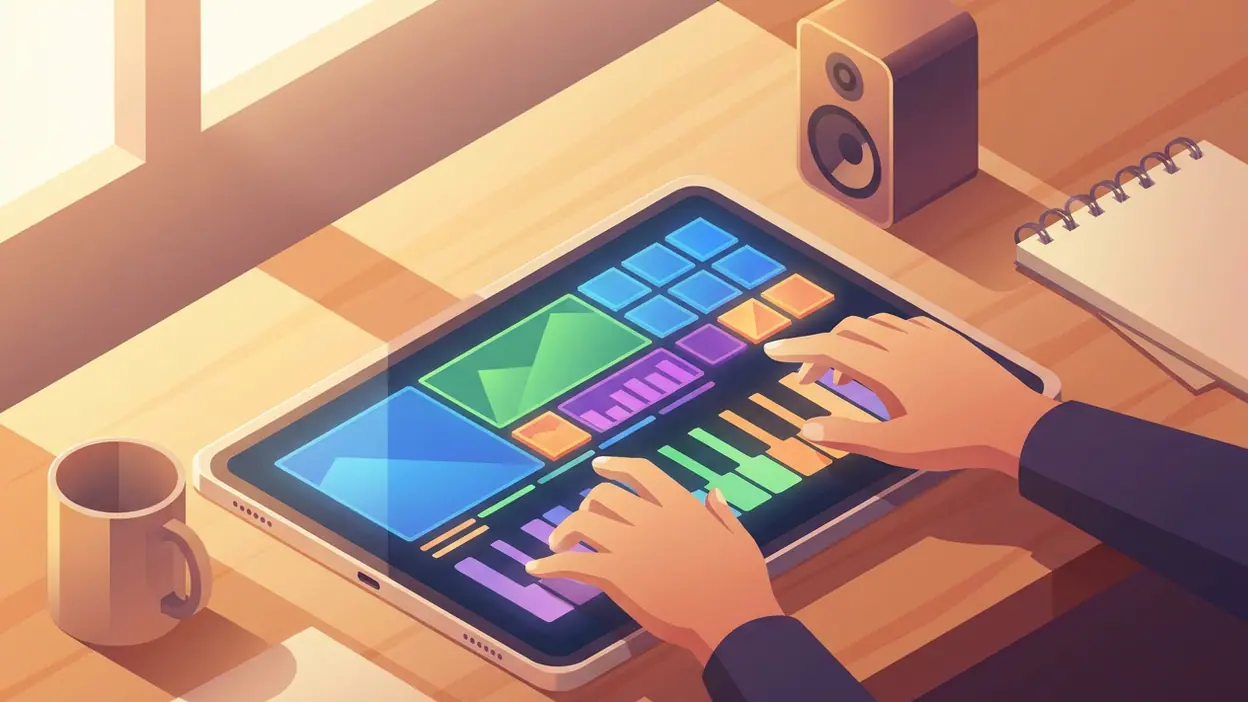
I approached ORG 24 as a performance toy with practical uses, rather than as a replacement for a piano or a studio. That framing keeps expectations honest. The core interaction is the attraction: play notes directly on the screen and explore the available instrument sounds and rhythm features. The app is at its best when a user wants to make a quick phrase, try a melody, or bring a little musical play into an otherwise ordinary stretch of time.
There is a modest but meaningful product shift in that proposition. A keyboard app is no longer only a digital imitation of hardware; it is also a pocket-sized invitation to experiment. The phone’s portability changes how the instrument gets used. A full keyboard is something people arrange their day around. A virtual one can be opened while waiting, tested for a minute, and put away without ceremony. Convenience is not the same as musical depth, but it is a real reason to return.
User behavior in this category is likely to reveal itself through short, repeated sessions rather than long listening runs. Someone may open ORG 24 to try a sound, tap out a tune, and leave. Later, the same person may return to test a different pattern. That is a different kind of engagement from streaming, where the app succeeds by keeping audio running. Here, the useful signal is whether the player feels encouraged to act: to press another key, try another sound, or repeat a phrase.
The strongest momentum is in the first minute. The app’s basic idea needs little explanation, and the tactile layout makes the payoff quick. That matters in a crowded app market, where many creative tools ask users to navigate onboarding, permissions, presets, and complicated editing screens before they can do anything satisfying. A virtual instrument can earn goodwill simply by letting the user play before it asks for much else.
That immediacy also defines the audience. ORG 24 is easier to recommend to someone who wants an accessible keyboard on a phone than to a musician looking for a complete recording environment. It can help a novice understand notes through touch, or let a more experienced player check an idea away from a real instrument. But those uses should not be inflated into claims about professional composition. A phone keyboard has physical limits, and its screen cannot reproduce the feel, spacing, or expressive control of full-size keys.
The category pressure comes from apps with very different jobs. YouTube Music and Samsung Music compete for the listener’s attention and library habits, not for the same hands-on moment. Lark Player: Music Player & MP3 addresses local playback, while Shazam answers the question, “What is this song?” Their relevance is contextual: they show how much of mobile audio is already organized around finding and consuming tracks. ORG 24 asks users to make something themselves, even if it is only a few notes.
That gives the app a more active identity, but also a tougher retention problem. A music player can rely on a huge catalog and familiar routines. A keyboard app has to make the act of playing rewarding enough to repeat. Sound selection, responsive controls, and a layout that stays usable on different screen sizes all matter. If a session feels cramped or the available options stop feeling fresh, the initial novelty can wear off quickly.
For ordinary users, the first thing they notice is likely to be less abstract: the screen becomes a keyboard, and touching it produces music. That is an accessible kind of usefulness. It does not depend on a subscription library, a network of friends, or a carefully organized collection. It works as a small, self-contained creative activity. The user can explore alone, share a tune informally, or simply enjoy the direct feedback of pressing a key and hearing a note.
Still, “easy to start” is not the same as “easy to master.” Touch input can make fast or precise playing awkward, particularly when the screen is small. Virtual keys lack the physical resistance that helps a pianist control dynamics, and a phone speaker is not an ideal way to judge tone. If the app’s sound options or rhythm tools are limited, users who begin with casual curiosity may soon want more control than the format provides. That is where a dedicated keyboard or a fuller music-making app will pull ahead.
There is also a broader fragility in the momentum story: interest in mobile creativity can be real without producing durable habits. Many people download music apps for a quick experiment, then return to listening rather than making. ORG 24’s best chance is not to pretend every user will become a musician. It is to make small acts of playing feel worthwhile often enough that the app earns a place among the tools people reach for when they have a spare moment.
That is a sensible niche in a category dominated by libraries, recommendations, and playback. It also reflects a wider mobile shift: the phone is not merely a window onto other people’s music. It can be a simple instrument, available wherever a thought or a melody turns up. The experience remains bounded by screen size and the depth of its tools, but those limits do not erase the value of a quick, accessible musical sketch.
My read is that ORG 24: Your Music is most compelling as a pocket keyboard for spontaneous play, not as a serious workstation or a substitute for the listening apps beside it. Its moment comes from lowering the cost of trying music-making: no setup ritual, just a screen and a sound. The momentum will last only if the app keeps that first-minute pleasure alive with enough variety and reliable controls. For now, its clearest achievement is making the idea of playing feel close at hand.