Peacock TV’s Real Test Begins After the Credits Roll

Peacock TV: Stream TV & Movies
A streaming app can win a download with one famous show, then lose the viewer the moment the credits roll. Peacock TV: Stream TV & Movies is built to make that second moment count: it puts recognizable series, films, originals, and live programming under one roof, then asks you to keep browsing. That is a bigger ambition than a crowded catalog. The app’s promise is that a single subscription can turn a spare half-hour into a viewing habit. Its success depends less on how many tiles it can display than on whether it helps you find the right one before patience runs out.
That tension makes Peacock feel more consequential than another row of streaming thumbnails. Television is now split between services with vast libraries, services with sharply defined identities, and video feeds that never stop. Peacock sits in the unsettled middle. Its strongest argument is breadth with a distinctly television-shaped rhythm: scripted shows and movies share space with live channels and events. The mix can feel generous, but it also puts pressure on the app to explain what belongs together and what deserves your attention now.

Peacock TV: Stream TV & Movies
Peacock TV LLC · 4.6 · Free · Android, iOS


A streaming service trying to make browsing matter
The app at the center
On mobile, Peacock is a front door to a service rather than a single-purpose player. You open it to choose an episode, browse a film, catch up on a series, or look for live programming. The practical advantage is obvious: fewer app switches when your viewing mood changes. A show can lead to a film, and a casual browse can surface something outside the list you arrived with. That convenience is real, particularly for households that treat television as a menu rather than a planned appointment.
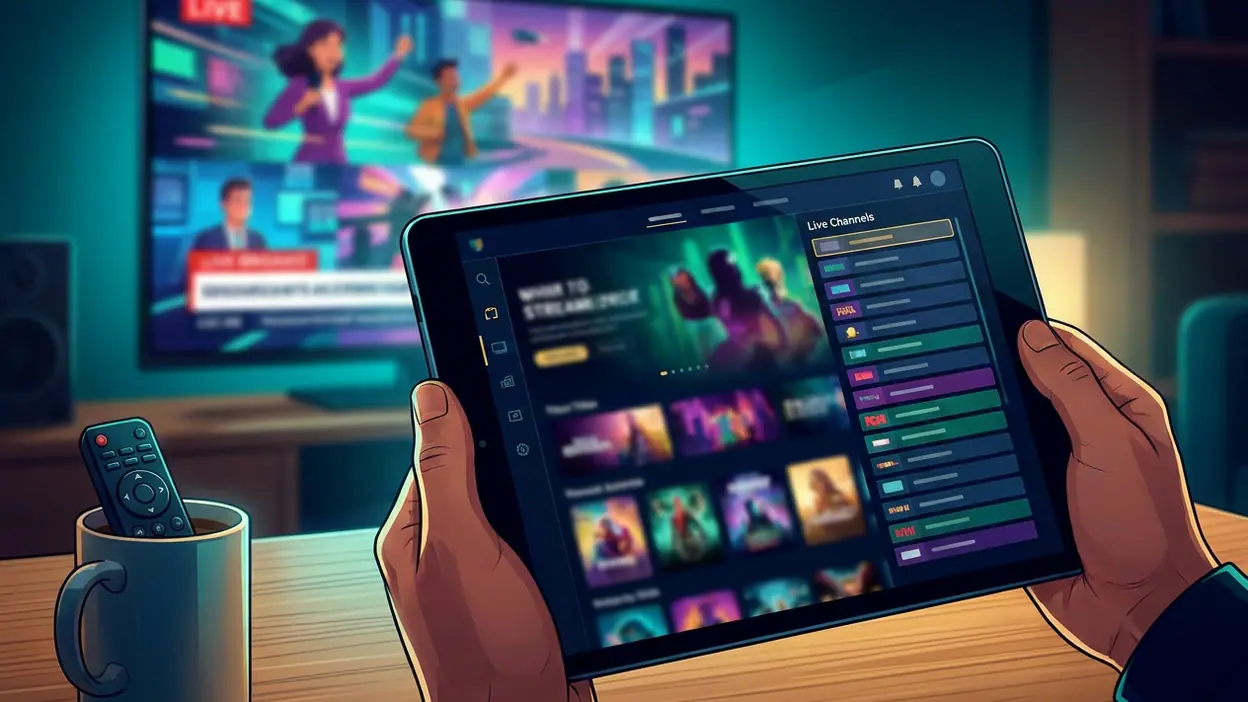
The interface has to carry a lot of competing signals. A library app wants you to search and settle in; a live-TV guide wants you to act before a moment passes. Peacock brings both instincts together, with on-demand choices alongside programming that feels tied to a schedule. That combination gives the service a more traditional television pulse than a purely on-demand catalog. It also means the home screen can feel busy if you already know exactly what you came to watch. A good streaming app should make browsing inviting without making it the price of admission.
Why attention spiked
Peacock’s attention comes from the leverage of recognizable entertainment. A familiar series or major live event gives people a clear reason to open the app, while the broader catalog gives the service a chance to turn a one-off visit into a longer stay. That is the streaming version of a strong lead story followed by a useful page: the headline brings you in, but the surrounding material has to earn the next click.
There is also a simple household appeal in having different kinds of viewing gathered together. One person may want a continuing drama; another may be searching for a film; someone else may want the feeling of turning on a channel rather than choosing from an endless shelf. Peacock’s range can answer all three moods without pretending they are the same. The challenge is making those options legible on a small screen, where every extra row competes with the show you intended to start.
The surprising detail is the format, not just the library
The most interesting detail is how live programming changes the character of an otherwise familiar streaming app. On-demand viewing is built around control: pause, resume, skip, and watch whenever. Live programming brings back a little urgency and the social sense that something is happening at the same time for everyone. Even when a viewer never settles into a fixed schedule, the presence of live choices makes the app feel less like an archive and more like a television destination.
That difference matters because streaming catalogs can blur together. Every service claims a deep bench, and every home screen promises a tailored next watch. Live programming gives Peacock another kind of discovery: not only “What have I missed?” but “What is on?” It is a small shift in wording with a significant effect on how a service gets used. The app is not merely a place to store viewing decisions; it can also supply the occasion for one.
The real user tension
Still, range is not the same as ease. A large catalog can make a viewer feel spoiled for choice right up until the moment choosing becomes the evening’s main activity. Peacock has to balance recommendations, featured titles, live options, and familiar categories without turning its front page into a noisy advertisement for itself. If you arrive with a specific title in mind, the app should get out of the way. If you arrive undecided, it should offer a useful nudge rather than another wall of posters.
There is a second tension: what you can watch may depend on your plan, location, and the particular rights attached to a title or event. Those details can change over time, so the safest way to judge a catalog is by what the app currently makes available to your account, not by an old list or a passing promise. Streaming services regularly revise libraries and packages. Peacock is no exception, and viewers should check current plan and availability information before subscribing if a particular show or live event is the whole reason for joining.
On a phone, there is also a basic usability question that no catalog can dodge: does playback feel straightforward? The app’s central job is to get from browsing to watching with as little friction as possible. Search, title details, playback controls, and the handoff back to the catalog all matter more than decorative polish. When those steps behave predictably, Peacock’s breadth feels useful. When they make you hunt, the service’s biggest strength becomes another thing to navigate.
What rivals reveal
Prime Video is a useful contrast because it illustrates how a broad entertainment storefront can make discovery feel like shopping through several layers of content. Disney+ shows the opposite advantage: a tighter identity can make the library’s organizing logic immediately clear. Peacock borrows neither model completely. Its pitch is a broader television mix, especially the coexistence of on-demand titles and live programming. That makes it harder to summarize in one sentence, but gives it a more varied role in a household’s viewing routine.
YouTube Kids is a contrast of purpose, not a direct competitor. It narrows its experience around children and parental controls; Peacock is aimed at a much wider entertainment appetite. Google Play Games is further removed, focused on discovering and managing games rather than watching television. These differences sharpen the point: Peacock is not trying to be the simplest specialist. It is trying to be the place a viewer can return to for several kinds of screen entertainment. The broader the promise, the more carefully the app has to sort it.
What feels genuinely new
There is no need to claim that Peacock reinvents streaming. Its more credible innovation is the way it treats a streaming service as both library and channel destination. That may sound modest, but it addresses a real habit. Plenty of viewers do not want to make a fresh, high-stakes choice every time they sit down. Sometimes they want a specific episode; sometimes they want the easy momentum of whatever is already on. An app that accommodates both can fit more naturally into daily life than one that insists every session begin with a search.
That design idea also makes the app more culturally relevant than a title count suggests. Streaming has changed the way people watch, but the old appeal of shared timing has not vanished. A live broadcast can give a viewer a reason to show up now, while a series or film remains available for a quieter night. Peacock’s strongest identity lies in putting those rhythms side by side, rather than pretending that all entertainment is consumed in the same way.
Why the story matters beyond hype
The real question for Peacock is not whether it can fill a screen with recognizable choices. It is whether those choices form a service people remember to open. The answer rests on everyday usefulness: a quick route to the title you want, enough variety to rescue an indecisive evening, and live options that give the app a pulse beyond the latest release. Those are measurable habits, not marketing slogans.
For viewers, the practical verdict is to approach Peacock as a flexible television bundle, not as a guarantee that every favorite title will always be there. Check the current catalog and plan details, then judge whether its blend of films, series, and live programming matches how you actually watch. If your routine revolves around one carefully curated franchise, a more focused service may feel simpler. If your household shifts between genres and viewing styles, Peacock’s wider remit has a clearer case.
Peacock TV: Stream TV & Movies is most persuasive when it stops behaving like a shelf and starts behaving like television: something to search, something to settle into, and sometimes something worth tuning in for. The app does not erase the clutter that comes with streaming abundance, and its breadth can make browsing feel like work. But the live-and-on-demand mix gives it a distinct reason to exist beyond another stack of shows. The closing sting is simple: Peacock’s biggest test is not getting you to press play. It is giving you a reason to come back after the show is over.