Lidl Plus at Checkout: Convenient Savings, Unclear Recovery

Lidl Plus
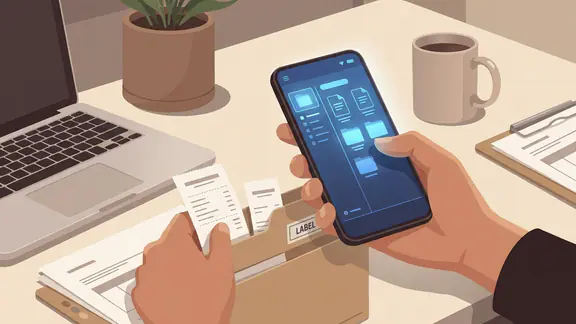
A loyalty app is easy to admire while the coupons load at home and the checkout is still minutes away. The sharper test comes with a queue behind you, a phone that has lost signal, and a discount you thought you had activated. Lidl Plus is built around a simple promise: keep offers, coupons, and shopping-related benefits close at hand, then make them usable in store. That promise is practical, but its value depends on how clearly the app handles the moments when something goes wrong. My verdict is cautious rather than cynical: the app makes routine savings convenient, yet shoppers should not assume every failure has a frictionless recovery path.
The reliability promise
Lidl Plus is a digital companion to shopping at Lidl, not a general-purpose wallet or a replacement for planning your basket. Its appeal is direct: browse available offers, save or activate relevant coupons, and bring the app into the store journey. That can make a weekly shop feel a little more considered. Instead of clipping paper vouchers or relying on memory, you can check the app before you leave.


The reliability question is more specific than whether the app opens. A useful loyalty app must preserve the relationship between an offer and the customer’s action: what is available, what has been activated, and what needs to happen at checkout. If those states are easy to confuse, a discount can feel less like a benefit than a small administrative task. Lidl Plus is most convincing when you treat it as a pre-shop tool, rather than something to explore for the first time with groceries on the belt.
First setup failure points
Setup is where small assumptions can become real obstacles. An account-based service needs the basics to work: a valid sign-in, access to the required account details, and enough time to complete any verification the app requests. The exact screens and requirements can change by country or app version, so it would be irresponsible to claim that every user sees one fixed setup path. What is clear is that an incomplete account is not a reliable foundation for checkout-time savings.
My practical advice is to install and configure the app before your first shop, while you have a stable connection and a few quiet minutes. Confirm that you can get back into the account after closing the app, and check that the offers you care about are visible and actionable. This is not glamorous testing, but it catches the predictable failure mode: discovering that a password, verification step, or missing profile detail matters only after you are already in the store.
There is also a distinction between having the app and being ready to use it. A download icon on your home screen proves very little. A shopper who has not signed in, reviewed the offer terms, or learned where the relevant checkout feature lives may still be effectively unprepared. Lidl Plus rewards a brief preview more than last-second improvisation.
Mistakes and reversibility
Coupons invite a particular kind of uncertainty: did I merely view this offer, or did I activate it? A clear state label matters because shoppers should not have to infer whether a tap changed anything. Offers may also carry conditions, such as product eligibility, dates, or limits. Those details are easy to skim past when the discount looks attractive, but they determine whether the saving applies to the basket in front of you.
I would not assume that every action can be undone, reactivated, or corrected after checkout. Those are precisely the kinds of behaviors that require current, version-specific testing, and there is not enough dependable evidence to promise a universal undo button or a guaranteed correction process. The safer habit is to inspect the offer details before relying on them and to treat checkout as the point where an unverified mistake may become difficult to fix.
This is where Lidl Plus differs from a simple shopping list. A list can be edited whenever you remember an item; an offer is governed by rules and timing. The app can still help you make better choices, but only if it makes those rules visible before you act. A discount is useful only when its conditions and status are clear.
Interruption and return
Real shopping is full of interruptions: a call comes in, the screen locks, a child asks for something, or you switch to another app to check a message. On returning, the essential question is whether the app leaves you oriented. Can you quickly find the offer you were reviewing, tell whether it remains active, and continue without repeating a whole sequence?
There is no sound basis for claiming that every interrupted session preserves every screen or action exactly as it was. Mobile operating systems can suspend apps, and behavior may vary with device memory, app version, and account state. The sensible expectation is that the account and available offers should be retrievable after reopening, not that a particular transient screen will always be waiting for you. Before entering the checkout line, reopen the app and confirm what you intend to use.
That small check is especially valuable if you have been moving between offers. It turns a vague memory of tapping into a visible confirmation. A polished happy path might make this feel unnecessary; a resilient routine assumes that interruptions happen and verifies the state that matters.
Connectivity pressure
Weak signal is the most uncomfortable test for a store-focused app, because the app is needed in precisely the place where a customer may be moving between aisles, thick walls, or crowded checkout areas. Lidl Plus depends on information being available at the moment of use, but offline behavior should not be guessed at. Without a verified guarantee that a particular offer, code, or checkout function is cached for offline use, shoppers should not count on it.
The straightforward mitigation is to load the app and review the relevant offers before shopping, ideally over a dependable connection. If the store’s connection is poor, that preparation may reduce the amount of browsing you need to do on site. It does not prove that every checkout-related feature will work offline, and I would not frame it as a guarantee. It is simply the least risky way to avoid making a live network request your entire savings plan.
This is a different problem from a food delivery app such as Uber Eats, where the service’s central task is to coordinate a transaction through an active connection. Lidl Plus accompanies an in-person purchase, so the offline question is narrower but still consequential: can the customer present the needed benefit when the basket is ready to pay? Until the app clearly communicates what is available without a connection, preparation matters.
Unclear states
For a loyalty app, “unclear” does not always mean a crash. It can mean a spinner that gives no useful indication of progress, a coupon whose status is difficult to distinguish, or an error that does not say whether retrying is safe. These are the moments that drain confidence. A shopper can forgive a temporary delay more easily than a screen that leaves them guessing whether an action succeeded.
The stakes are modest compared with banking or medical software, but they are not imaginary. A failed discount can affect the total at the till, and a customer may have little time to investigate. I would judge the interface by whether it offers a plain next step: refresh, check the account, review the offer terms, or ask staff whether the benefit can still be applied. Where that guidance is absent or inconsistent, the app places too much troubleshooting on the shopper.
Clarity also means keeping the offer itself legible. Product descriptions and restrictions should be easy to compare against what is actually in the basket. A bright saving is not enough if the customer cannot confidently tell whether the item qualifies.
Recovery guidance
The best recovery plan is deliberately unexciting. Set up the account at home; open the app before the shop; select the offers you intend to use; and check their conditions rather than relying on a remembered headline. If something fails in store, avoid repeating taps rapidly when you cannot tell whether the first one registered. Reopen the relevant screen, look for a clear status, and ask a staff member for help before paying if the offer is important.
After a checkout problem, keep the receipt and note what happened. That does not guarantee that a later adjustment is available, and the route for support can depend on the issue and local policy. It does give you the information needed to explain the problem accurately. The app should make support easy to find, but no review should promise a refund, retroactive coupon, or account fix without verified evidence.
These steps may sound like extra work for a tool meant to simplify shopping. In practice, they take seconds and protect the part that matters: knowing whether a promised saving is genuinely ready to use. Lidl Plus is more comfortable as a planned part of the shop than as an emergency troubleshooting tool.
Where evidence is missing
Several resilience questions deserve a definite answer from the product itself: which features remain available offline; whether an interrupted coupon action is saved; what happens when account verification is incomplete; and how a shopper can resolve an eligible discount that does not appear at checkout. These details can change across app releases and markets. Without direct, current evidence for a particular version, the responsible conclusion is uncertainty, not a confident claim that the app always recovers well or always fails.
That caveat matters because loyalty apps are often discussed as if every user has the same experience. Devices, account settings, store conditions, and local offer rules all affect the result. The app’s basic purpose is easy to understand, but its edge cases are where shoppers most need precise instructions. Better in-app explanations of saved state, connection requirements, and recovery options would do more for trust than another promotional banner.
Who needs more certainty
For a shopper who visits Lidl regularly, has a reliable phone, and is comfortable checking offers before leaving home, Lidl Plus is an easy tool to justify. The savings can fit naturally into an existing routine, and the app avoids making paper coupons the center of the experience. Casual users can also benefit, provided they are willing to spend a moment learning the account and offer flow.
People who shop in areas with unreliable reception, share a device, struggle with account access, or need to know the exact final price before committing should be more cautious. So should anyone who expects a last-minute offer to work without first confirming its status. In those cases, the app’s usefulness is real but conditional. A discount is not dependable household budgeting until the customer knows how it will be applied and what happens if the connection or account fails.
Resilience verdict
Lidl Plus earns its place on a shopper’s phone through a clear, everyday use: checking offers and preparing for a Lidl visit. Its weak point is not the idea, but the gap between a convenient offer screen and confidence under pressure. Setup should happen early, connectivity should not be assumed, and recovery after an unclear checkout state cannot be treated as guaranteed.
I would recommend it to regular Lidl shoppers who are happy to prepare, verify, and keep a receipt when something goes wrong. I would not rely on it as a no-fail discount mechanism until offline availability and correction paths are stated more plainly. The app can make a routine shop more economical, but trust is earned at the awkward moment, not the easy one. On that test, it is useful with sensible precautions rather than fully reassuring.