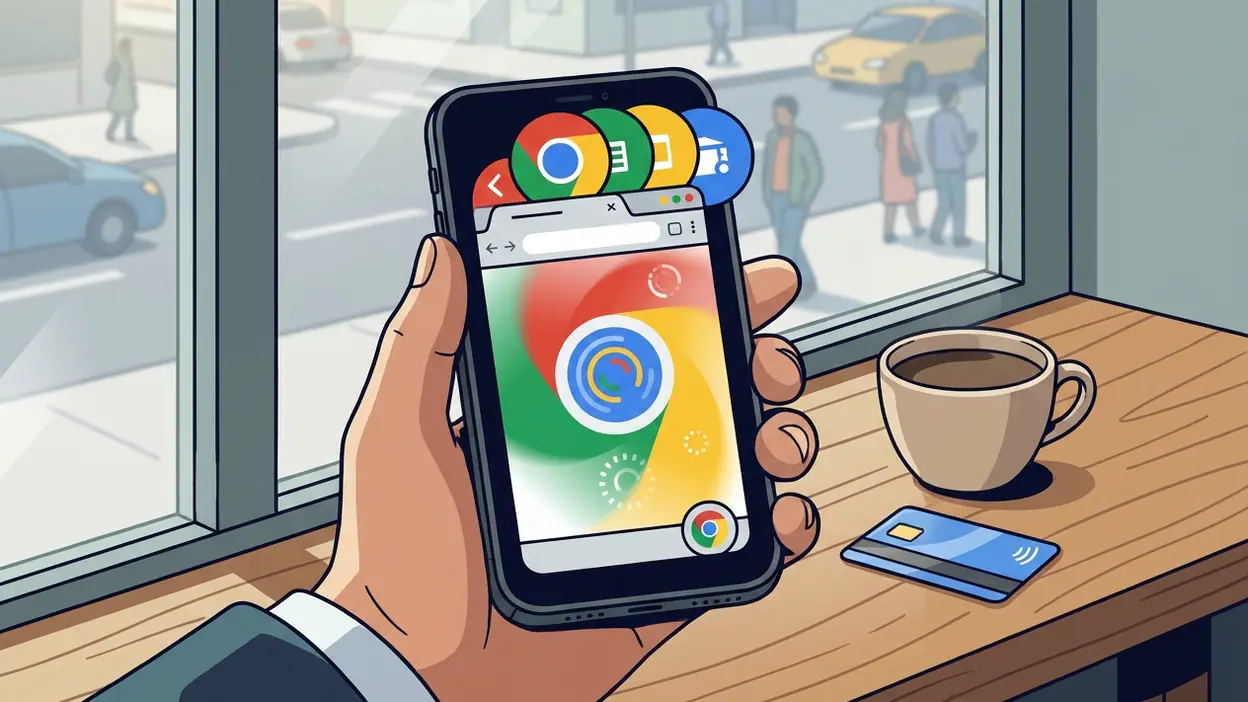
Google Chrome on Mobile and the Habit of Having the Web at Hand

Google Chrome
Most people do not decide to use a browser each morning. They tap the familiar circle, enter a question, and move on. That small gesture is the point: Google Chrome has become less a piece of software we choose than a routine we carry. On a phone, its cultural power lies not in making the web feel exciting, but in making the web feel close at hand, ready to be consulted between errands, messages, and everything else that claims our attention.
That convenience has a shape. Chrome gathers searches, open pages, saved passwords, and browsing history into one portable workspace, then tries to make the transitions between them feel ordinary. The result is a tool that says something about how we live now: we expect information to be available immediately, across devices, without requiring us to remember precisely where we left off. Its success is a story about a browser, but also about the habits that smartphones have taught us to call natural.

Google Chrome
Google LLC · 4.1 · Free · Android, iOS


The phone as a doorway to everything
On Android, Chrome can feel like part of the phone’s basic furniture. On iPhone, it has to share the stage with Safari, yet it still attracts people who want their familiar Google account, bookmarks, and passwords nearby. In either case, the browser’s role is broader than opening websites. It is a place to check a delivery, look up a phrase, compare prices, follow a link from a group chat, or settle an argument before the conversation moves on.
That range makes Chrome a useful measure of the present. The phone is no longer just a communication device or a pocket camera; it is the surface on which small decisions get made. Browsing fits into the cracks of the day. A page opened while waiting for coffee may lead to a booking, a recipe, a news story, or a dozen tabs that become a private queue of unfinished intentions. Chrome does not dictate what matters. It makes it easy to keep whatever matters temporarily within reach.
There is a telling contrast with apps built around a single activity. A television remote app promises control of a particular device; a comic reader frames attention around a story; 8 Ball Pool and Candy Crush Saga organize time around repeatable play. Chrome is harder to describe because it keeps changing jobs. It may be a shopping aisle in the morning and a school portal by afternoon. That flexibility is its strength, and one reason it settles so deeply into everyday use.
Convenience becomes a behavior
The browser normalizes a particular kind of attention: quick, provisional, and easy to resume. Tabs let us postpone decisions. A page can remain open as a reminder, even when it is no longer being read. Search turns uncertainty into a prompt to type. Autofill removes friction from forms, while saved passwords make returning to a service feel less like a fresh start. These features are genuinely useful, but together they encourage a life made of many small, recoverable visits.
I notice the difference most when a question arrives in the middle of something else. With Chrome close by, curiosity rarely has to wait. The same is true of practical worries: Is the store open? What does this charge mean? Which train leaves next? The browser is good at converting those loose thoughts into actions. It is not necessarily good at helping us decide which thoughts deserve attention. The ease of opening another page can disguise the cost of continually switching tasks.
This is where Chrome’s mobile design feels most fluent. The address bar accepts both a web address and a search, so there is little ceremony between wanting something and asking for it. Tabs are available as a persistent layer of activity, and history offers a trail back to pages that slipped away. On a small screen, these choices matter. They reduce the amount of planning required to browse, turning the browser into an extension of impulse as much as intention.
The trade-off is a growing sense of unfinished business. A crowded tab view can resemble a desk covered in papers: each item may be useful, but the pile has its own weight. Chrome gives users ways to organize and revisit browsing, yet no interface can decide whether an old tab is a plan, a bookmark, or simply a distraction we forgot to close. The app makes accumulation comfortable. It leaves the cleanup to us.
A quiet badge of convenience
Chrome rarely functions as a status symbol in the obvious sense. It does not announce taste in the way a carefully chosen home screen or a premium device might. Its signal is more practical: this person wants their digital life to follow them. Syncing bookmarks, passwords, and browsing activity through a Google account can make a laptop and a phone feel like two doors into the same room. That continuity is valuable, especially for people who move between devices throughout the day.
But convenience is never entirely neutral. The more a browser knows about our routines, the more effortless it can make returning to the services we already use. Chrome’s connection to the wider Google ecosystem can reduce repetitive work, while also giving users a reason to stay inside a particular account system. That is not proof of bad intent; it is a sensible tension to recognize. A useful feature can also deepen dependence on the platform that provides it.
Chrome’s design mirrors this bargain through restraint. Its interface generally gives the page most of the screen, keeping browser controls compact and familiar. The familiar multicolored icon works as a promise of access rather than a declaration of personality. There is little theatrical branding once browsing begins. The app wants the web to occupy the foreground and its own machinery to recede, which is often exactly what a mobile browser should do.
That modesty can also make the experience feel less personal than the habits it supports. The browser is the site of private routines, but its surfaces are largely organized around utility: search, tabs, history, saved information. It rarely asks who you are beyond what makes the next visit faster. For many users, that is a relief. For others, it is a reminder that the most intimate parts of phone use can happen inside tools designed to disappear.
Why the ritual sticks
People keep Chrome close because it solves a recurring problem without demanding a recurring decision. The icon is easy to find; the first action is obvious; the payoff can arrive in seconds. A browser that works well becomes almost invisible, and invisibility is a powerful form of loyalty. You do not have to admire it to depend on it. You only have to reach for it often enough that choosing something else starts to feel like extra effort.
That rhythm also gives Chrome a role in the tiny transitions of the day. It fills a pause before a meeting, supports a recipe while dinner cooks, or turns a link from a friend into a longer detour. Those moments do not look like commitment, but repetition adds up. The app is not sticky because every session is memorable. It is sticky because it fits between memorable things.
Rival browsers understand the same pattern. Safari makes browsing feel native to Apple’s devices; other alternatives compete on privacy, customization, or links to their own ecosystems. The underlying promise is familiar: reduce the distance between a person and the next page they need. Chrome’s advantage is not that it invented this promise, but that its account-based continuity and broad recognition make it easy to adopt across a mixed collection of devices. Its rivals copy the convenience pattern because users have come to expect it.
What feels revealing is how little friction we now tolerate. A password we must remember, a tab we cannot restore, or a page that does not carry over can seem like a personal failure of technology, even though these are small inconveniences by any older measure. Chrome has helped raise expectations by making common tasks feel routine and portable. That achievement is real. So is the unease that follows when a private habit depends on a browser, an account, and a company’s continuing service.
Privacy and control therefore belong in any honest reading of the app. Chrome provides settings for managing browsing data and account-linked features, but those choices require attention. The easiest path is often to accept the defaults and keep moving. That is not unique to Chrome; it is a design pattern across mobile software. Still, a browser sits unusually close to search, identity, and daily research. Its convenience deserves to be weighed alongside the data and platform relationships that make some of that convenience possible.
My verdict is that Chrome succeeds less as a beloved object than as a dependable habit. It is fast to reach, adaptable to almost any task, and particularly convincing when a user wants the same browsing life to follow them between screens. Its weaknesses are the other side of that ease: tabs can become clutter, endless access can intensify distraction, and account-based continuity can make dependence feel invisible. Google Chrome is not simply a window onto the web. It is the door we have learned to leave open, and its cultural significance lies in how rarely we stop to notice that we walked through it.