AppCompare
Google Play Store Handles Failed Downloads Better Than It Explains Them
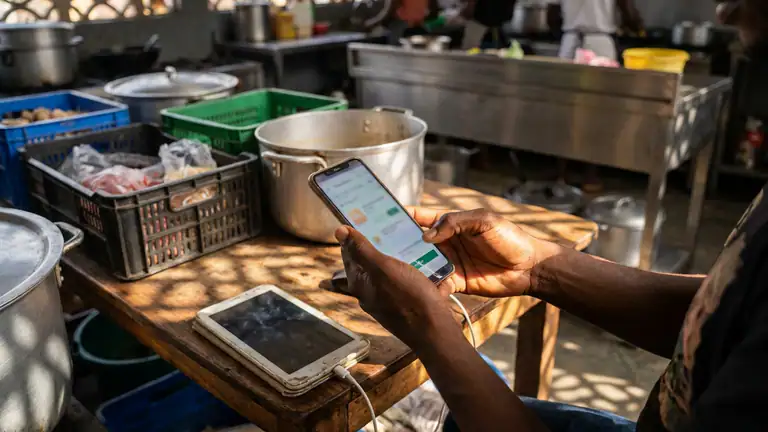
A download bar that stops at 83 percent tells you more about a marketplace than a polished row of app recommendations ever will. In ordinary use, Google Play Store is the front door to Android software: find an app, check its listing, install it, and expect the rest to happen quietly. Its deeper promise is less visible. It has to cope with poor connections, mistaken taps, unfinished setup, and interrupted updates without leaving you unsure whether an app is safe, installed, or still waiting. My central judgment is that Google Play Store is a capable recovery system for routine friction, but it is not always a clear one. It tends to preserve the task better than it explains the task.
The reliability promise
Play is not merely a catalog. It mediates discovery, downloads, updates, purchases, account access, and the ongoing upkeep of apps already on a device. That breadth makes reliability more complicated than asking whether the Install button works. A useful store must keep the connection between a listing and its installed app intact, distinguish an update from a fresh download, and give people enough information to decide whether waiting or intervening is sensible.

The strongest part of that promise is familiarity. The same account and store can follow an Android user across devices, while the listing supplies practical signals such as ratings, screenshots, developer information, and an install action. Once an app is installed, Play can handle updates in the background, reducing the need to hunt down each developer’s site or remember every release. That quiet maintenance is the product’s real utility: most people want the software to arrive and stay current without making a project of it.
But a familiar interface can make uncertainty feel more surprising. A store that looks authoritative carries an implied promise that its status messages are enough to act on. They are not always. “Pending,” a progress indicator, or a disabled button can tell you that something is happening without telling you which part of the chain is holding it up. A resilient product needs both durable behavior and legible behavior; Play is more consistent at the first than the second.
First setup failure points
The first fragile moment can arrive before the first download. Play depends on an Android device, an account state, network access, and the device’s own storage and system services. If account sign-in is incomplete, a payment method needs attention, or the device is short on space, the install path can stop for reasons that do not originate in the app listing. This is a sensible division of responsibility technically, but it can feel like one broken store experience to the person holding the phone.
That is why the most useful early check is not simply tapping Install again. Confirm that the selected account is the one you intend to use, that the device has available storage, and that a stable connection is present. If the app requires a purchase or subscription, make sure the account and payment setup are ready before treating a stalled action as a download fault. These checks are ordinary, but they separate a store problem from a device or account problem faster than repeated taps do.
Setup is also where expectations can outrun evidence. An app may be unavailable for a device, region, or account, and the store can surface that limitation at the point of discovery or installation. A listing that appears in search is not a guarantee that every device can install it. If a control is missing or an install action is unavailable, I would not infer that the app is secretly downloading. Check the listing details and device compatibility first; if the reason remains opaque, treat it as unresolved rather than inventing a cause.
For a brand-new Android device, setup can include system updates or account synchronization that compete for network and storage. Play does not make those dependencies vanish. Its resilience is best judged by whether it gives the user a recoverable route, not by pretending the store operates independently of the rest of Android. The setup experience is strongest when the device is already signed in and settled; it asks more of the user when those foundations are still being assembled.
Mistakes and reversibility
Play makes one common mistake easy to correct: choosing the wrong app before installation. You can back out of a listing, return to search, and inspect alternatives without committing to a download. The store’s mix of developer names, ratings, and listing information helps, though none of those signals should be treated as a guarantee of quality or suitability. The practical lesson is to pause on the listing before tapping Install, especially when several apps have similar names.
After installation, reversibility becomes more qualified. Uninstalling removes the app from the device, but it does not necessarily undo what happened inside the app. Account creation, cloud saves, subscriptions, purchases, or data stored by the developer may have their own controls and policies. Play can provide a route to manage some purchases and subscriptions through the relevant account settings, but it cannot make every downstream action reversible. The store is the delivery point, not a universal undo button.
Purchase mistakes deserve particular care. Before confirming a paid download or in-app transaction, check the account, price, and item on the confirmation screen. If something goes wrong, use the purchase or order information associated with the account and follow the available support or refund process. I would not promise that every mistaken purchase can be reversed: eligibility and outcomes depend on the transaction and the applicable policy. What Play provides is an account-linked trail and a route to request help, not guaranteed recovery.
Repeated tapping is the mistake most likely to make a small problem messier. If a button appears unresponsive, wait briefly and inspect the current status before issuing the same action again. That caution matters most around payments, subscriptions, and updates. A second tap may do nothing, but in any transactional flow it is better to verify what happened than to assume the first attempt failed. The interface could make this safer by explaining more clearly when an action is still processing.
Interruption and return
Phones interrupt everything. A call arrives, the screen locks, another app takes focus, or the user leaves the store to check a message. For a download already in progress, returning to Play and checking the app’s current state is the sensible first move. A progress indicator or an available Open button can help distinguish an active install from a completed one. The task is usually easier to resume than to reconstruct from memory, which is a meaningful resilience strength.
Still, “usually” matters. The precise behavior after a force stop, device restart, operating-system update, or prolonged loss of service can depend on the device and the state of the download. I would not claim that every interrupted installation resumes from the exact byte or screen where it stopped. The reliable habit is to reopen Play, revisit the listing or download area, and read the current status before taking action. If the app is already installed, opening it is a better test than restarting the install.
Background updates make interruption less visible but also less transparent. Automatic updates are convenient because they happen without demanding attention, yet a user may not know whether an app is waiting for a connection, constrained by device settings, or simply not due to update. When an app behaves differently after an update, checking its Play listing and update history is more useful than assuming the store failed. Updates can change an app’s behavior for reasons outside the store, and Play does not explain every change in a way that helps diagnose it.
The return path therefore works best when the user treats the store as a live status board, not as a memory of the last screen. Reopen it, confirm the account, inspect the app’s present state, and proceed from what is visible now. That is not elegant recovery, but it is a repeatable method that avoids turning an interruption into duplicate work.
Connectivity pressure
Weak connectivity is where the difference between waiting and failure becomes hard to read. Search results may take time to load, listing media can be slow, and downloads can pause or crawl. Under those conditions, Play’s core task still has a straightforward fallback: restore a stable connection, return to the relevant page, and check whether the download is active, complete, or awaiting action. If it is still moving, patience is safer than repeated cancellation and restart.
On a metered or unreliable connection, download preferences and device settings matter. A large app can consume more data than expected, and an automatic update can arrive at an inconvenient time if the user has not reviewed those preferences. Before starting a substantial download, check whether the current connection is suitable and whether the device has enough room. These are not glamorous safeguards, but they prevent a slow network from becoming a surprise bill or a storage problem.
There is a limit to what the store can recover from a dead connection. If the network disappears entirely, the app cannot fetch a new package or verify every remote detail. A stalled state does not necessarily mean the download is corrupt, and a long wait does not prove that it will recover on its own. Reconnect, reopen the store, and inspect the status. If the same task remains stuck, use the device’s ordinary troubleshooting route rather than cycling through taps without a change in conditions.
Here, comparison with a content app such as Pinterest sharpens the point. Browsing may still feel useful when some images load slowly or cached material remains available; an app marketplace has a more transactional job. It must retrieve and install software, so a weak connection can stop the central action rather than merely make browsing less pleasant. Play cannot make that dependency disappear. Its responsibility is to make the wait and the next reasonable step as clear as possible.
Unclear states
The store’s weakest moments are not always outright errors. They are in-between states: a button that seems inactive, an install that says pending, an update that has not appeared, or a listing that shows a different action than expected. These states are frustrating because they ask the user to diagnose a system that spans the store, Android, the network, the account, and sometimes the developer’s own service.
A status label is useful only if it narrows the problem. “Pending” tells me not to expect a finished install yet, but by itself it may not say whether another download is ahead of it, the connection is unavailable, or the device is working through a queue. When the interface omits that detail, the user is left to test guesses. That is a real product weakness, even if the underlying task eventually succeeds.
There is a similar ambiguity around app availability. A listing’s presence in search, a previous installation, and current install eligibility are not interchangeable facts. Compatibility, regional access, account settings, and developer decisions can affect what a user can do. If an app cannot be installed, the store should ideally explain the relevant constraint in plain language. Where it does not, avoid treating a generic failure as proof of a security issue or a developer shutdown.
My rule for unclear states is conservative: distinguish what the interface shows from what you suspect. “The download is still pending” is an observation. “Google blocked it” or “the app is broken” is a diagnosis that needs evidence. This discipline prevents wasted troubleshooting and keeps an ordinary delay from becoming a false story about the product.
Recovery guidance
A practical recovery sequence should change conditions one at a time. First, inspect the store’s current status and confirm the account. Second, check connectivity and storage. Third, close and reopen Play if the screen appears stale, then revisit the relevant listing or download area. If the app has installed, open it rather than starting over. If a payment is involved, inspect the account’s transaction record before making another attempt.
If those checks do not help, move outward to the device: restart it when appropriate, verify that Android is functioning normally, and consult the device’s built-in settings or official support guidance for the specific symptom. Avoid deleting app data or changing account settings as a first reaction; those steps can remove useful local information or create a second problem. The exact menu names and troubleshooting steps can vary by Android version and device manufacturer, so instructions written for another phone may not match yours.
For purchases, subscriptions, or missing paid content, gather the account and order details before contacting support. Describe what you tapped, what the screen showed, and whether the charge appears in the account. A precise report is more actionable than “the store is broken.” For an app that installs but fails to start, the developer may be the right contact; for a download or purchase flow, the store or device support channel may be more relevant. The distinction saves time because Play cannot repair every problem inside a third-party app.
The best recovery advice is not to reset everything. It is to preserve evidence, verify the current state, and make the smallest safe change that could address the cause. Play gives users enough account and listing structure to follow that approach, but it could do more to guide them through it when an error is vague.
Where evidence is missing
A careful review should separate repeatable interface behavior from claims that require controlled testing. I can assess the store’s visible flows and the logic of its recovery paths, but I cannot responsibly turn that into a guarantee about every Android phone, carrier, account configuration, region, or current Play release. Download behavior can vary with all of those factors, and a single successful retry would not prove that every interruption resumes cleanly.
I also cannot infer the cause of a particular pending download without observing the device’s network, storage, account state, and system logs. The same visible symptom can have multiple causes. Nor can a store listing alone establish that an app is safe, that a developer will maintain it, or that a refund will be approved. Ratings and developer information are useful evidence, not a substitute for judgment or a promise about future support.
Those limits do not make the review inconclusive. They define the right standard: credit Play for a recoverable, account-linked workflow, and criticize it where users cannot tell what is happening. Claims about exact retry timing, uninterrupted progress, universal offline behavior, or guaranteed reversals would require device-by-device and transaction-specific evidence. Without that evidence, confidence should stay measured.
Who needs more certainty
For someone who installs familiar free apps on a settled phone and uses a reliable connection, Play’s occasional ambiguity is usually a nuisance rather than a serious barrier. Its catalog, account continuity, and background maintenance make it a practical default. Most routine failures can be approached with a short checklist, and the user does not need to understand Android’s entire software pipeline to get an app onto the device.
More certainty matters for anyone managing a child’s device, handling a work phone, traveling with limited data, or paying for apps and subscriptions. Those users need to know which account is active, what a download will cost in data, whether a transaction completed, and how to reach the right support channel. A vague status can have consequences beyond inconvenience when a device is needed for work, accessibility, travel, or communication.
People who depend on a particular app for an urgent task should also keep a fallback. That is not an indictment of Play; no app marketplace can guarantee that a third-party app, network, or device will be available at every moment. But a store whose central job is software delivery should not be treated as an emergency plan by itself. Install critical tools before leaving reliable coverage, keep essential account information accessible, and avoid waiting until the moment of need to discover a compatibility or sign-in problem.
Resilience verdict
Google Play Store earns trust less through perfect explanations than through a workflow that is usually recoverable. It links discovery, installation, updates, and account history in one place, and it gives users a sensible point from which to inspect a stalled task. That is substantial practical value. In normal conditions, the store fades into the background, which is exactly what a software marketplace should do.
Under pressure, however, the interface can leave too much interpretation to the user. Weak connectivity, incomplete setup, and ambiguous pending states expose the difference between a task that is still alive and one that needs intervention. Reversibility is also limited: uninstalling an app is easy, but undoing a purchase, subscription, or action inside the app follows different rules. Play’s recovery story is credible, not absolute.
My verdict is that Play is a dependable everyday tool with an uneven explanation layer. It generally gives Android users a viable route back to their downloads and account-linked purchases, but it does not always tell them why a route has stalled or what a retry will do. For casual installs, that trade-off is acceptable. For paid, time-sensitive, or essential software, verify the account, connection, storage, and transaction state instead of trusting a single button or status label. The store is resilient enough to rely on for routine delivery; it is not clear enough to replace careful checking when the stakes rise.